18 plugins for Sound Design
These plugins will improve your skills and help you create music at a professional level.
18 Best Plugins for Sound Design
Many musicians enjoy expanding their talents beyond production, mixing, and mastering, learning to sculpt and manipulate sound at its core to create unique auditory experiences. Sound design plugins open up endless possibilities for that work.
This article covers the 18 best plugins for sound creation — from distortion plugins to convolution reverbs and granular processors — in the order of the original roundup.
Arturia DIST Coldfire
Saturation plugins add a soft sizzle by complicating harmonics, giving the sound a warm and cozy tone. On the opposite side are wave shapers, bit crushers, and other powerful distortion processors capable of more dramatically destroying and altering the sound. You could painstakingly look for various distortion plugins that give access to each of these effects, but that's likely to take a lot of time, not to mention it's very expensive.
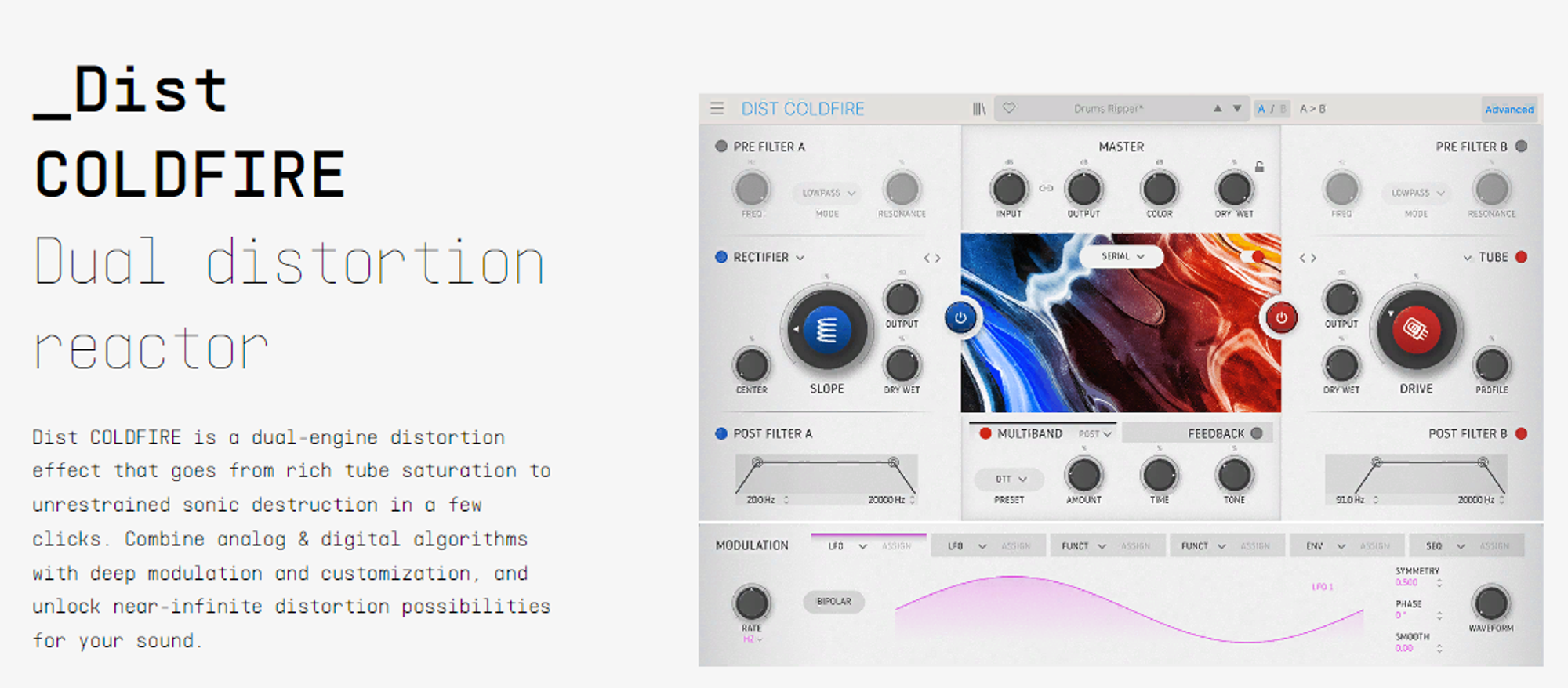
On the other hand, if you need a convenient distortion plugin that covers all your distortion needs, then Arturia's DIST Coldfire is what you need. Coldfire uses two universal distortion engines, offering a total of 11 models to choose from, including Transistor, Germanium, Tube, Tape, Waveshaper, Rectifier, Wavefolder, Bit Crusher, and Bit Inverter.
It also features cascades of both pre- and post-distortion filters and six types of filters on the front end and two on the back. Five routing options make it even more flexible, offering combinations of band, serial, mid-side, and parallel engines. For additional motion and modulation, Coldfire takes it a step further, offering six modulators.
Assigning modulators to plugin parameters is a simple process, allowing for complex and evolving effects. Despite the potential for strong distortion effects, Coldfire includes a dynamics module to maintain control, which can be placed both before and after the distortion stage. It's worth noting that the multiband mode options are somewhat limited, and the plugin provides only basic presets.
As the cherry on top, Coldfire includes a built-in delay processor capable of creating all sorts of effects, from beautiful lo-fi echoes to creative feedback effects. It's a truly dynamic plugin with a stunning visual interface for creating unique sound effects.
Official resource
Visit Arturia DIST COLDFIRE ↗Soundtoys Decapitator
Soundtoys Decapitator has long been one of the most sought-after saturation plugins, offering a wide range of control and versatility, all in a convenient interface. From subtle analog warmth to aggressive distortion, this plugin can do it all.
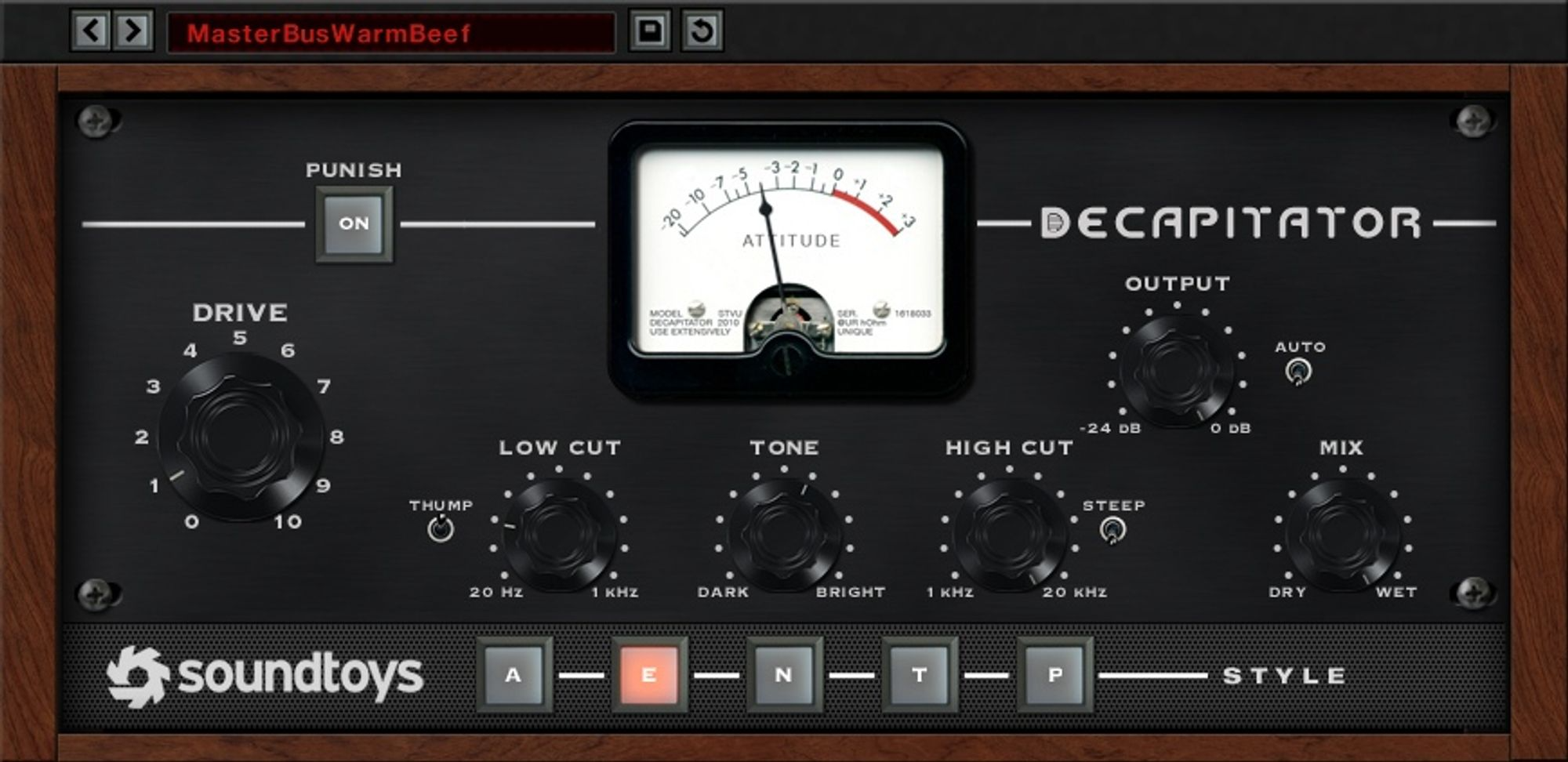
To create Decapitator, the Soundtoys team carefully analyzed numerous hardware components, selecting those that demonstrated the most characteristic sound and character when used both subtly and to the extreme. From this selection, they modeled five of their favorite hardware units, represented in the plugin by the styles A, E, N, T, and P.
A is modeled after the Ampex 350 tape preamp with smooth tape saturation. E is modeled after the EMI Console Chandler/EMI TG Channel, ideal for silky highs and muscular low frequencies. N is modeled after the unique input channel of the Neve 1057, known for its germanium transistors. T is modeled after the triode setting of the Thermionic Culture Vulture, great for powerful and smooth harmonic distortion. P is modeled after the pentode setting of the Thermionic Culture Vulture, giving the overloaded sound of a pentode tube.
Decapitator is a simple distortion plugin with just a few controls. One of its notable features is the "Punish" button, which expands the distortion possibilities. It stands out from other distortion plugins due to its focus on analog sound — by emulating transistors, tubes, and circuits with punch, it reproduces a key component that has made analog recordings sound fantastic for decades.
Official resource
Visit Soundtoys Decapitator ↗Cableguys ShaperBox 3
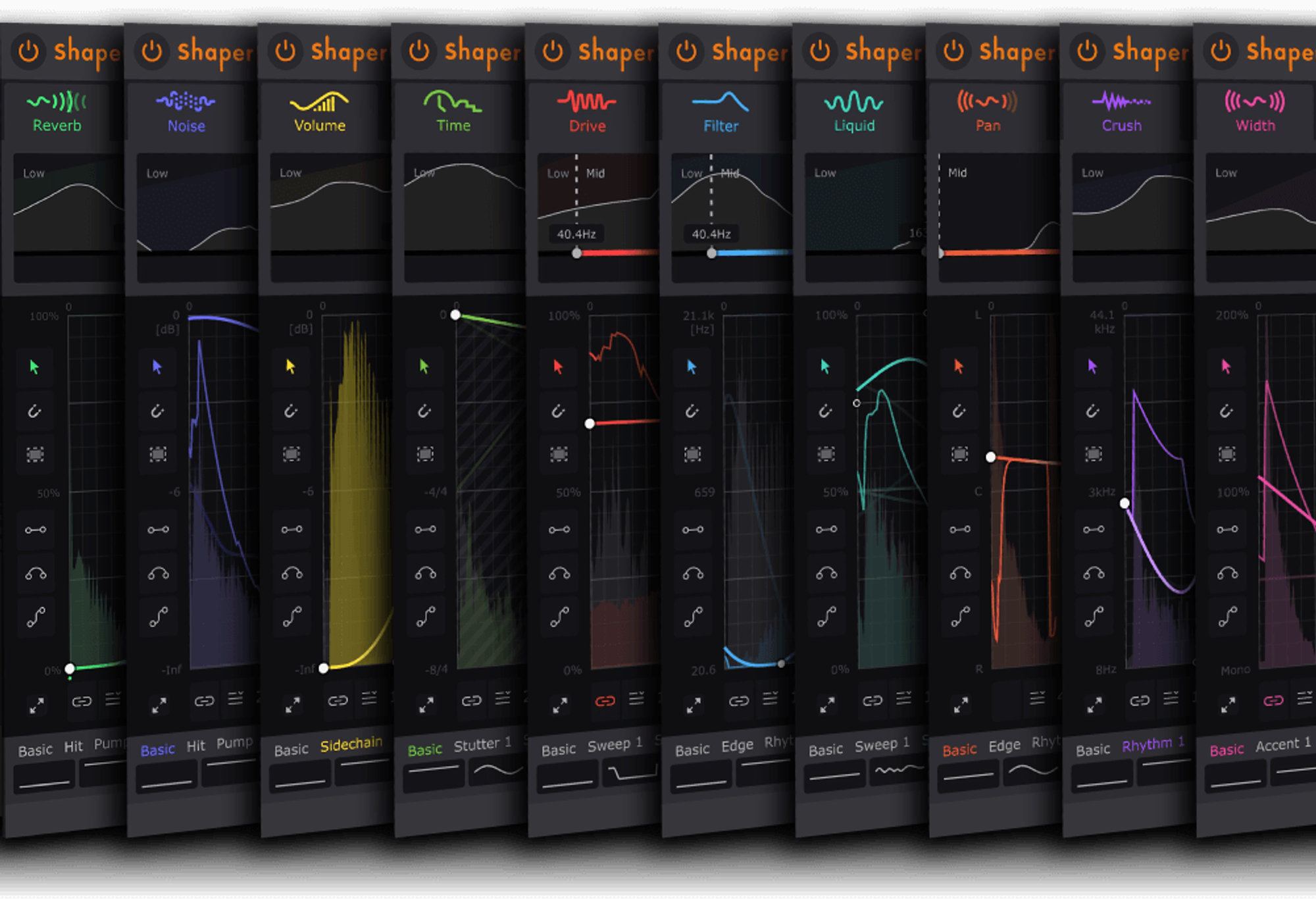
ShaperBox 3 is a versatile multi-effects plugin with a user-friendly interface, combining nine outstanding effects: Width, Volume, Pan, Crush, Liquid, Filter, Noise, Drive, and Time. Modulating these effects is easier than ever thanks to the intuitive graphical interface, and the waveform view has been improved compared to previous versions of the plugin.
ShaperBox 3 offers unlimited possibilities for combining effects, perfect for those who want to breathe new life into their sample library or have fun with existing loops. The ability to run effects in an updated browser, along with an extensive collection of 600 presets neatly categorized, is one of the plugin's main features.
What makes ShaperBox 3 remarkable is its ability to generate completely unpredictable and unique sounds. It focuses on rhythmic modulation, providing precisely modulated LFOs, which sets it apart from its competitors. You can combine multiple shapers or use multiple instances of ShaperBox 3 to further expand the sound deformation capabilities.
The ShaperBox team avoided adding signal-blurring modules such as delay and reverb, allowing for a punchy and transparent result. Thanks to its broad sound manipulation capabilities, ShaperBox 3 easily ranks among the most versatile sound design tools available, and comes strongly recommended by many producers and musicians.
Official resource
Visit Cableguys ShaperBox 3 ↗Valhalla Supermassive
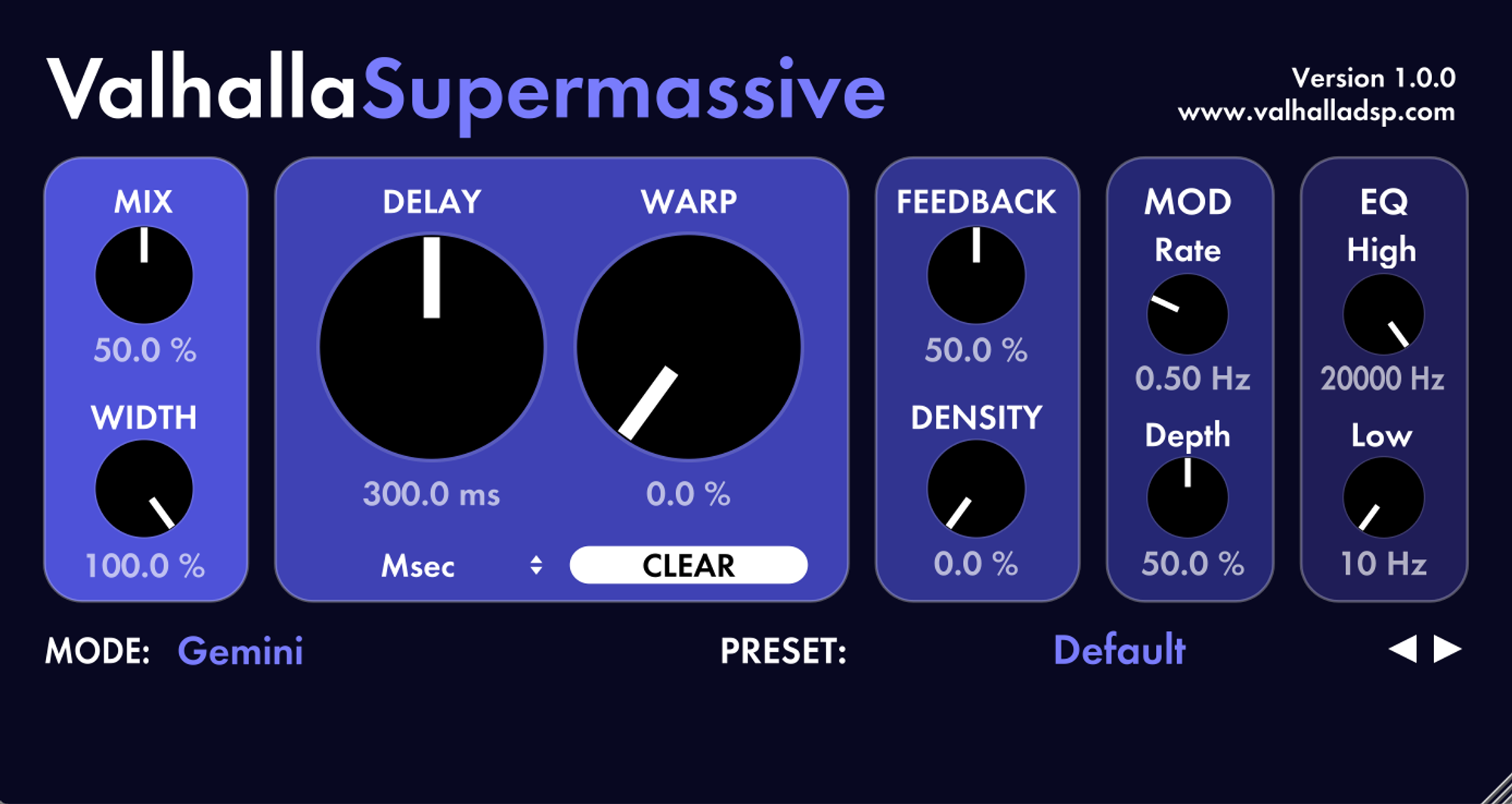
Valhalla Supermassive is a deceptively powerful plugin offering a wide range of reverb and delay possibilities. Its clean and simple user interface may not initially reveal the full depth of its capabilities — and it's also free.
The plugin controls are divided into sections including mix, rate, depth, density, feedback, distortion, delay, equalization, and width. The mix knob adjusts the wet/dry balance, and the width knob allows you to swap the left and right channels. The warp control affects the smear and wetness of the tails. The delay control determines the delay time, with the option to set tempo or milliseconds.
The feedback section adjusts the feedback level and the amount of echo, and the mod station provides control over the speed and depth of delay modulation. Supermassive blurs the line between reverb and delay, using a series of feedback delay networks with delays up to two seconds — from cascading harmonic echoes to decaying echoes and saturated reverbs fading away over minutes.
It's often used to enhance synthesizer sounds, create lush, infinite landscapes, or add depth to ordinary instruments like percussion, guitars, and vocals. It takes a bit of experimentation to harness its potential, but Valhalla Supermassive is one of the most rewarding plugins for those seeking unique and customizable delay and reverb effects, from subtle, room-like spaces to dense, otherworldly reverbs.
Official resource
Visit Valhalla Supermassive ↗Minimal Audio Cluster Delay
The development team at Minimal Audio took a unique and innovative approach to creating one of the best sound design plugins on the market. Cluster Delay is not a typical delay plugin — it combines a multitap delay with a versatile set of multi-effects processors.
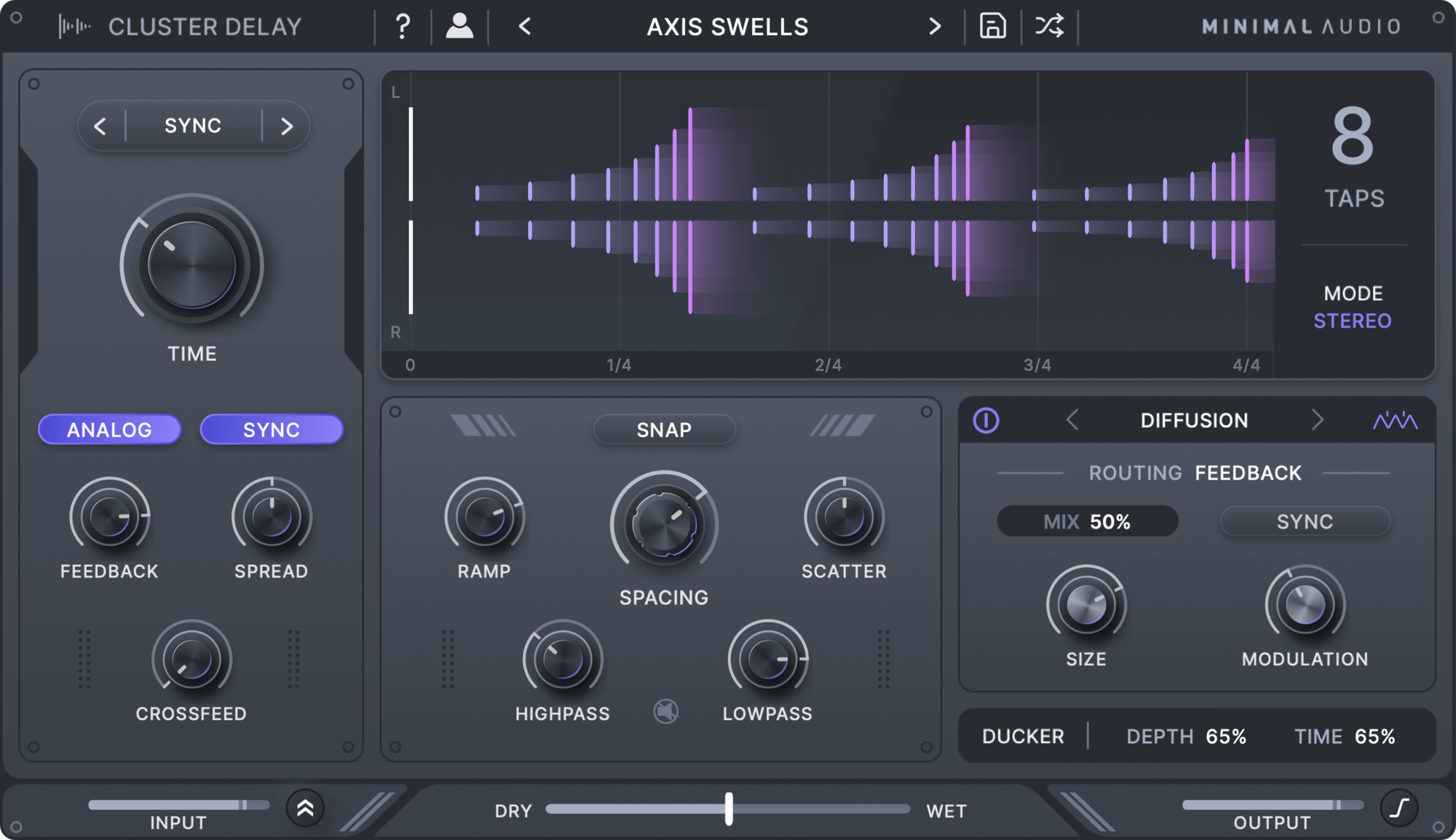
You get up to eight taps and customizable delay time, as well as stereo and mid/side modes, providing a dynamic set of tools for creating complex soundscapes. The plugin's capabilities can be further expanded with analog modeling, allowing control of feedback and filtering to achieve warm, fuzzy characteristics reminiscent of tape. One of Cluster Delay's distinctive features is its extensive multi-effects section, including frequency shift, flanger, phaser, chorus, a diffusion processor, and a temporal modulation section.
Combining these effects gives you a rich and textured sound palette. It's valuable software for producers looking to push the boundaries of their sound design, with an intuitive user interface that provides detailed visual cues for working with more complex settings.
The plugin also features a ducker with time and depth controls, allowing for the creation of more extreme effects and application in heavily rhythmic mixes without compromising integrity. Cluster Delay holds a special place in the realm of sound design plugins, ideal for producers looking to explore new sonic territories.
Official resource
Visit Minimal Audio Cluster Delay ↗iZotope Trash 2
Despite being on the market for over a decade, Trash 2 has earned a reputation as one of the best and most sophisticated distortion plugins available. It stands out from other plugins in the same category due to its seamless blend of subtle digital nuances and precision with the raw and robust characteristics of analog.
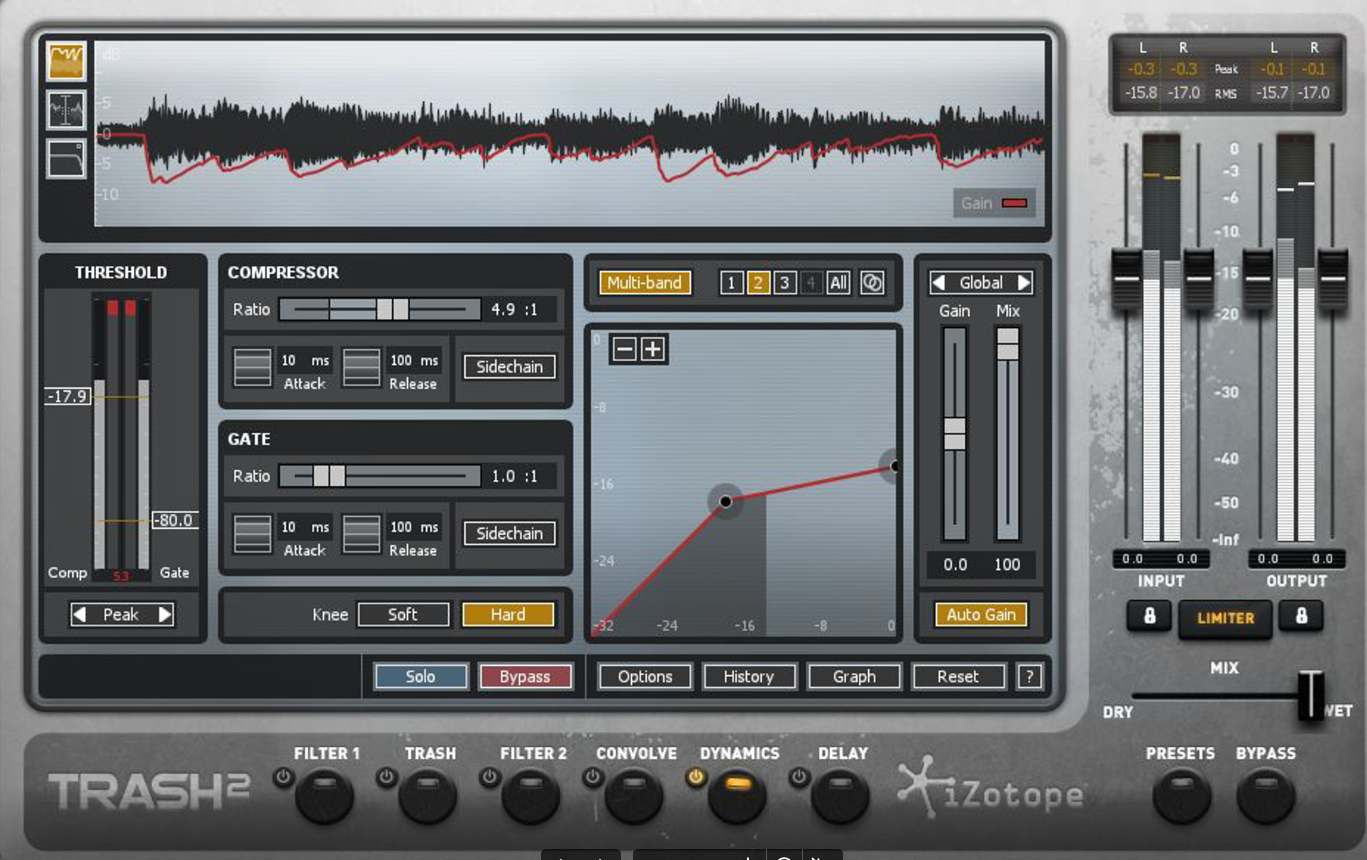
What makes iZotope Trash 2 stand out is that it goes beyond a regular distortion plugin, offering a wide range of possibilities, from extreme bit-crushing to soft tube saturation, plus several unconventional effects. Overall, the plugin features over 60 distortion algorithms, more than 100 presets, six multi-effects modules, and an excellent multiband wave shaper.
One of the standout features of iZotope Trash 2 is its exceptional sonic versatility. It delivers realistic dynamics and spatial modeling, dynamic effect chaining, and intricate filtering capabilities. It's a good tool for injecting life and individuality into mundane sounds, even without a clear plan for what you want to achieve.
Despite its impressive capabilities, Trash 2 remains relatively accessible, making it a valuable investment for producers seeking a powerful distortion plugin — one that surpasses the capabilities of most stock plugins in a typical DAW. Note: Trash 2 is a legacy iZotope product; it is no longer sold as a standalone purchase, so check current availability before recommending it as a first buy.
Official resource
Visit iZotope Trash ↗FabFilter Volcano 3
FabFilter Volcano 3 was already an exceptional filter plugin before its most recent update. With its new scalable graphic interface, it now offers an enhanced user experience and adds a new dimension to what a simple filter plugin can do — the FabFilter team completely revamped the workflow and enabled the modulation sections to support drag-and-drop editing.
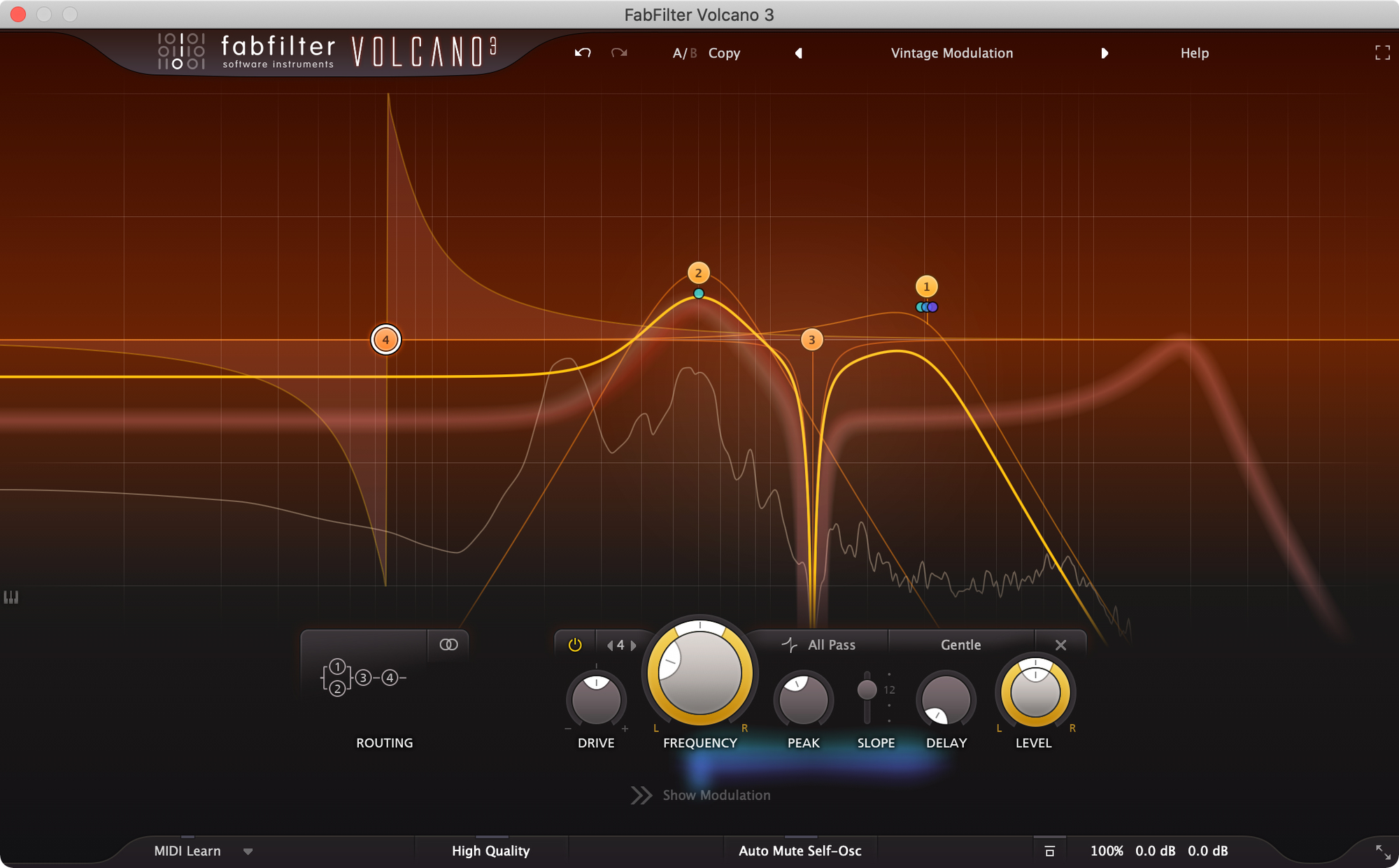
The interface provides a clear overview of all active modulations, and the simplicity and efficiency of the modulation concepts stand out. Volcano 3's filters are the heart of its capabilities — by combining different filters, you can give your sound distinctive color and character. The latest update introduces four additional forms of nonlinear vintage EQ filter with analog modeling, including All-Pass, Notch, Low-Shelf, High-Shelf, and Bell, as well as a 6 dB/octave option.
Each filter form also includes a Saturation/Drive control for precise sound manipulation. You can control panning and volume, and choose between standard stereo and mid/side processing for each filter. The best results come from the "high-quality" mode, which employs maximum oversampling, and the included presets provide numerous strong starting points.
Volcano 3 goes beyond a simple filter plugin — overall, it's a powerful sound design tool with genuinely impressive capabilities.
Official resource
Visit FabFilter Volcano 3 ↗Noise Engineering Ruina
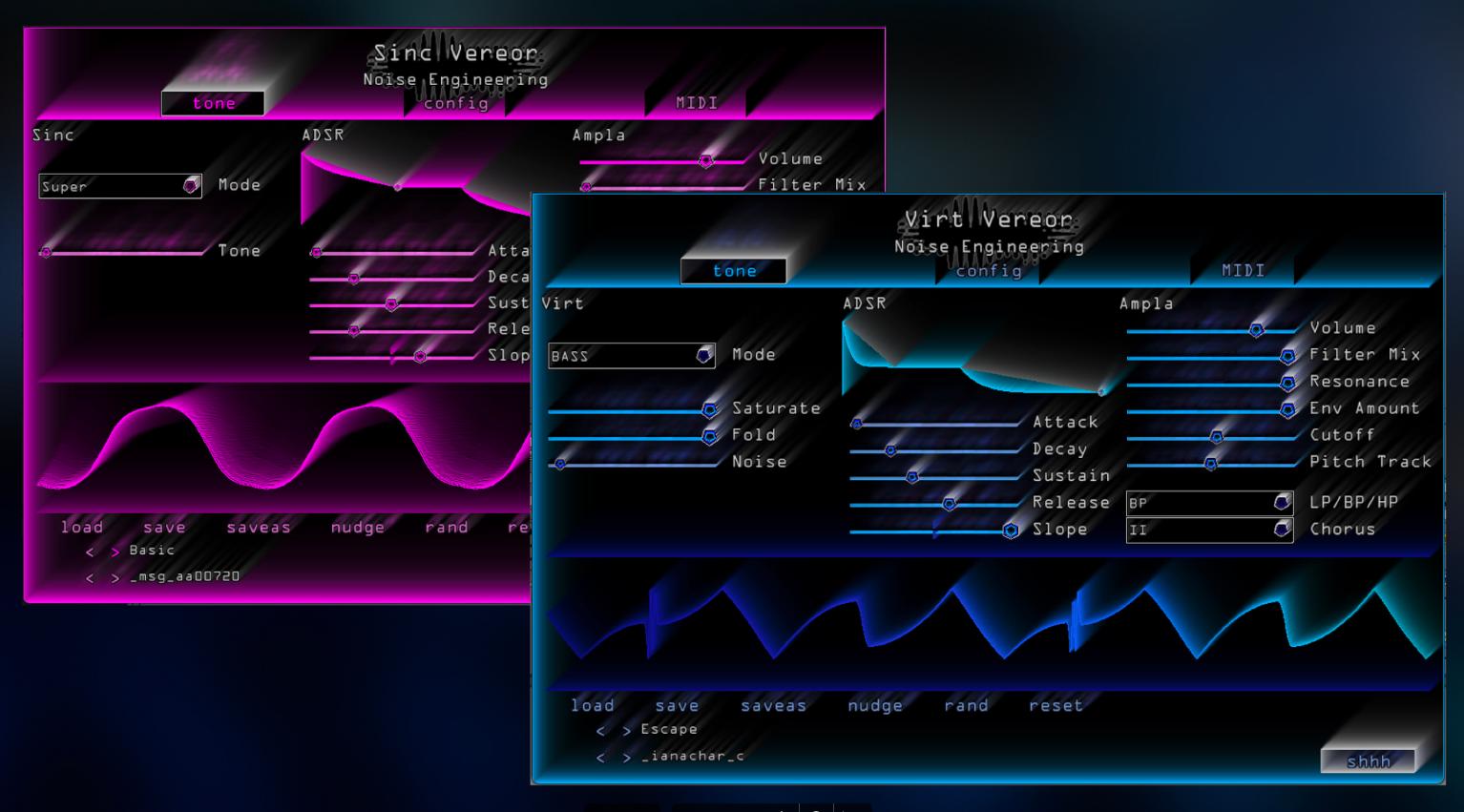
Noise Engineering developed Ruina a few years ago, and it quickly became an essential component in many audio engineers' toolkits. The interface includes a wide array of sliders in the "Tone" tab, offering multiband and multi-distortion effects such as rumble, saturation, sag, and overdrive, plus a wide range of filtering options.
The "Modulation" tab holds the parameters for macro and LFO modulation, while the "Config" window lets you customize the interface — you can change the plugin's size, adjust the color with the "Hue" control, and add surface glow with the "Fire" control. At first glance this looks complex, but exploring the Tone window quickly reveals the results achievable with this sound design plugin.
The "nudge" and "rand" functions are particularly useful for expressive sound design. Nudge brings about subtle changes in parameters, allowing for gradual alterations to the overall sound; random randomizes each parameter to produce entirely new sounds.
Ruina provides fantastic and somewhat underrated sound design capabilities, useful for adding texture to a dated sound or completely transforming a sample or loop. It's available for free as part of the Noise Engineering Freequel bundle, alongside Virt Vereor and Sinc Vereor.
Official resource
Visit Noise Engineering Ruina (Freequel Bundle) ↗Soundtoys FilterFreak
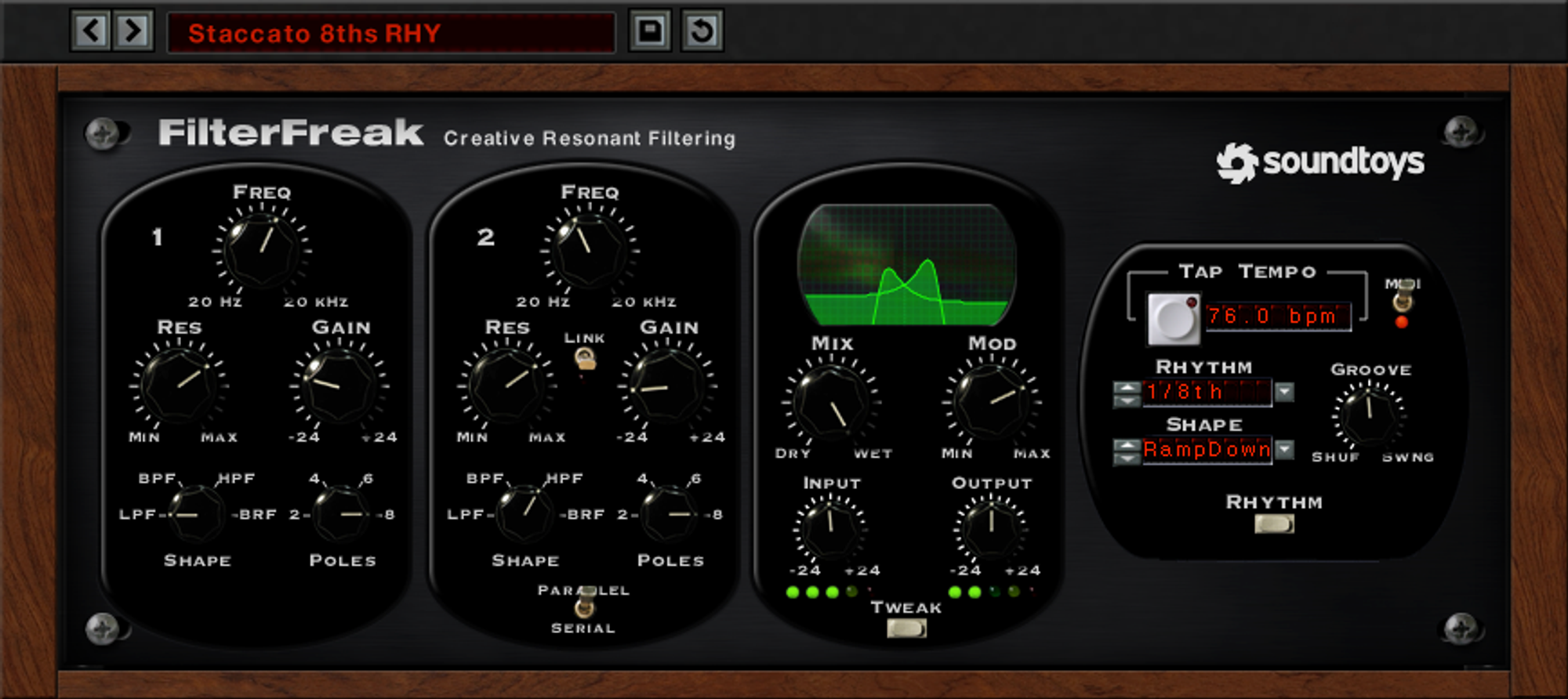
Soundtoys is one of the preferred plugin developers for creative sound design, translating analog sound into the digital realm across a wide range of tools. FilterFreak is one of them, providing versatile filtering capabilities. It comes in two versions: FilterFreak1, a simple single filter, and FilterFreak2, which comprises two separate analog filters — two filters mean more complex modulation possibilities.
Using series mode further expands the plugin's sound creation capabilities. FilterFreak gives you access to all the basic filter types, including high-pass, low-pass, band-pass, and band-reject. The built-in Tweak button activates a virtual filter circuit with additional parameters for shaping the sound, and each filter effect can also be activated in parallel.
FilterFreak works especially well with digital synthesizers, which often lack the depth and character in their filter sections that analog synthesizers provide — its analog-style filters help close that gap. The shape editor also allows for creating custom LFO patterns for creative modulation or oscillating effects.
FilterFreak is a favorite for enhancing drum sounds, adding punch and character to flat loops and beats. If you're blending live drums with samples, it's a valuable tool for creating a more cohesive, organic feel.
Official resource
Visit Soundtoys FilterFreak ↗DS Audio Tantra 2
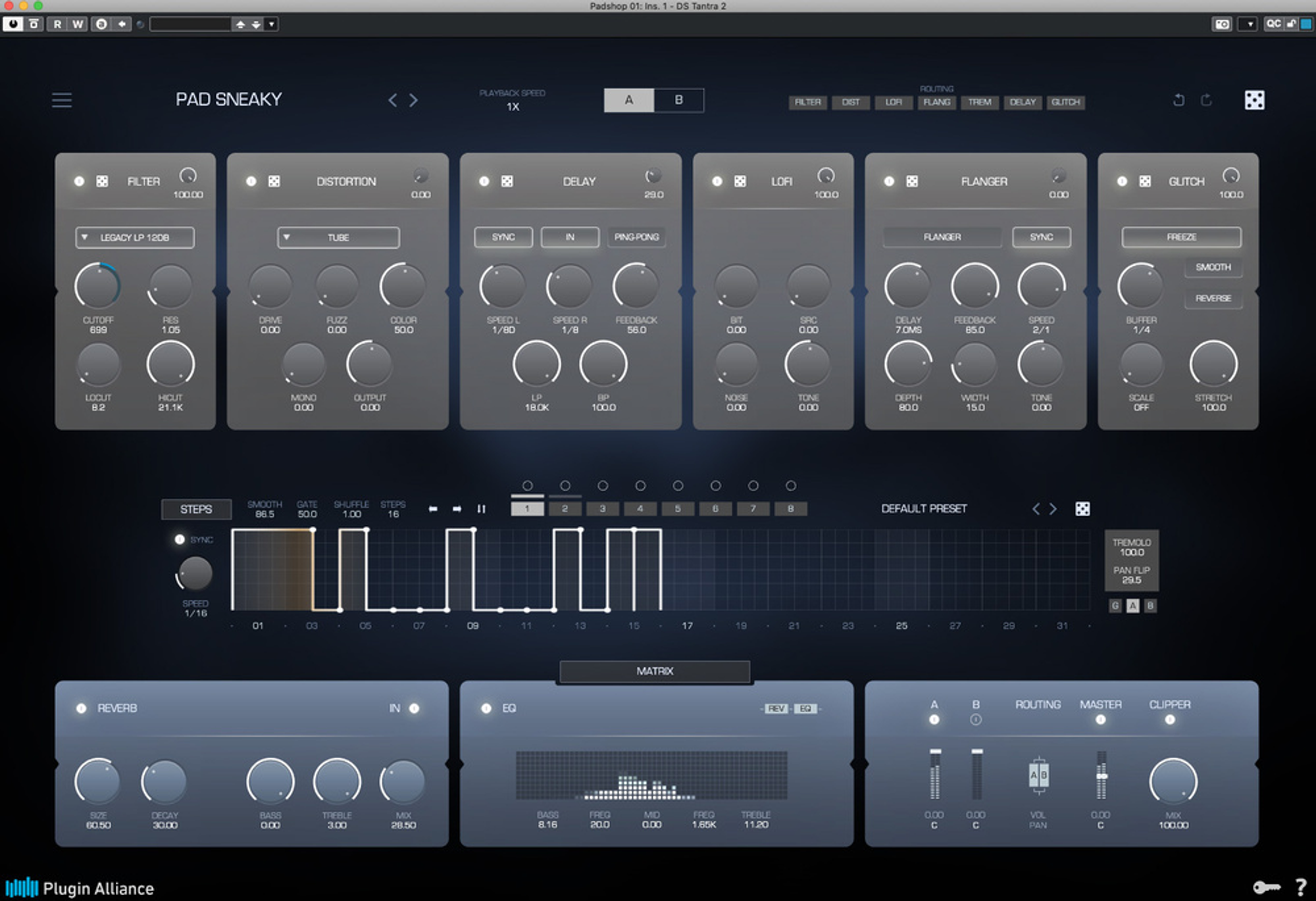
Tantra 2 exceeded expectations for many Tantra 1 users when it was released. According to the developer, it's a "rhythmic multi-effect plugin" offering an intuitive way to generate unique rhythmic sequences from any sound source fed into it.
It features six two-stage effects, including Glitch, Flanger, Lo-Fi, Delay, Distortion, and Filter, which can be arranged and used in various combinations. The plugin's foundation is a modulation section that provides complex, customizable 32-step envelopes and multiple operating modes, enabling unique rhythmic patterns.
The Convolution section includes impulse responses obtained using specialized equipment and unusual samples, such as old speakers and broken microphones. With a clean, streamlined design and a modernized graphical interface, Tantra 2 offers flexibility, ease of use, and control, plus an "intelligent" randomization algorithm for generating fresh settings on the fly.
Official resource
Visit DS Audio Tantra 2 ↗Output Portal
This entry covers granular processing generally — dividing sound into smaller grains that can be manipulated individually through time stretching, filtering, panning, scale quantization, reordering, pitch adjustment, reverse, and more. Output, the music production company, has built highly regarded sound design tools around this idea, and Portal stands out for its ability to preserve the original sound character while introducing new musical elements.
Unlike granular plugins that lean toward abstract textures, Portal fully transforms and mutates any sound passed through it. It ships with an extensive preset collection of over 250 presets across 13 categories, and its XY Macro display panel adds an interactive, visually engaging way to explore them.
Official resource
Visit Output Portal ↗Sugar Bytes Graindad
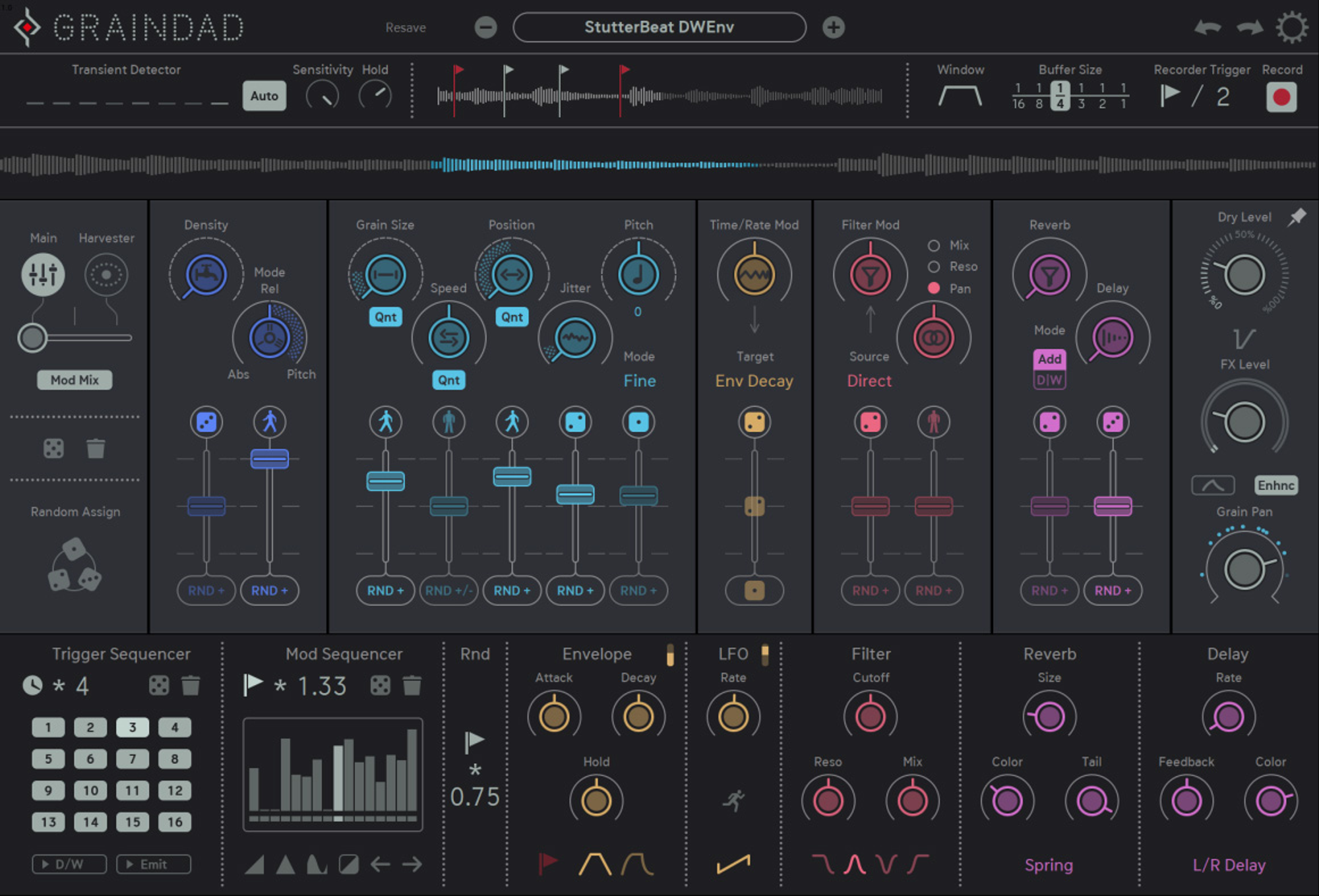
Opening Graindad reveals 12 main parameters for experimenting with a range of processing styles, including reversing, pitch shifting, harmonization, glitching, time stretching, stuttering, looping, and other creative effects, alongside standard granular characteristics such as pitch, position, grain size, and density.
Graindad's distinguishing feature is its dual modulation mechanism — one of the more versatile modulation engines available in granular plugins. It provides access to standard modulation types such as step sequencers, modulators, LFOs, and envelopes, plus the Harvester Modulation engine, which is easier to understand by exploring it directly than by reading a description.
It takes time to fully grasp Graindad's complexity, but the results are worth it. Sugar Bytes has also built in various ways of randomizing parameters, useful for adding a touch of unpredictability to sound design.
Graindad also includes a multi-effects engine covering delays, flanging effects, reverberation, and multimode filters, making it one of the more thought-out granular plugins on the market for sonic manipulation and exploration.
Official resource
Visit Sugar Bytes Graindad ↗Softube Tape
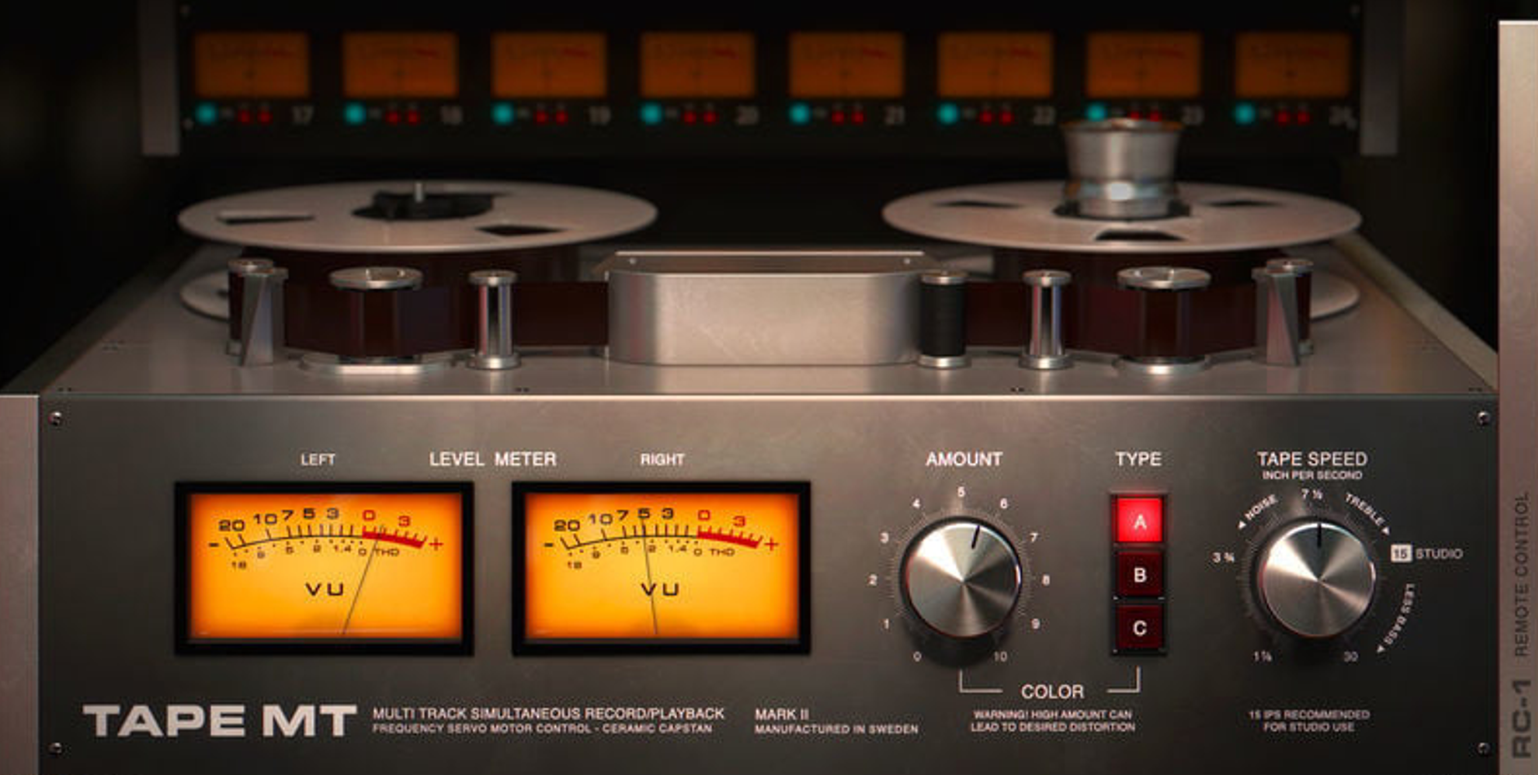
Tape plugins don't always come to mind first for sound design, but tape emulation is known for adding warmth, saturation, and coloration that are pleasing to the ear — it can enrich digital sound and make it more organic. Most tape machine plugins also include controls for "wow" and "flutter," simulating the imperfections of vintage tape recorders, which are popular in the lo-fi scene for a sense of nostalgia and unpredictability. Tape delays, echo effects, and modulation parameters are often included too, for unique, lush spatial effects or added depth.
Softube Tape is a versatile, affordably priced tape emulation plugin — frequent 50% discounts make it available for well under $50. It provides a smooth, saturated sound, accurately emulating three different vintage tape recorders for a nostalgic or vintage character.
It lacks some of the advanced controls found in more comprehensive tape emulators like Ampex or Satin — you can only adjust character, tape type, and tape speed. That simplicity works in its favor, though: the plugin has a light processor load, making it a good choice on an older computer for a classic tape sound without taxing system resources.
Official resource
Visit Softube Tape ↗Devious Machines Infiltrator
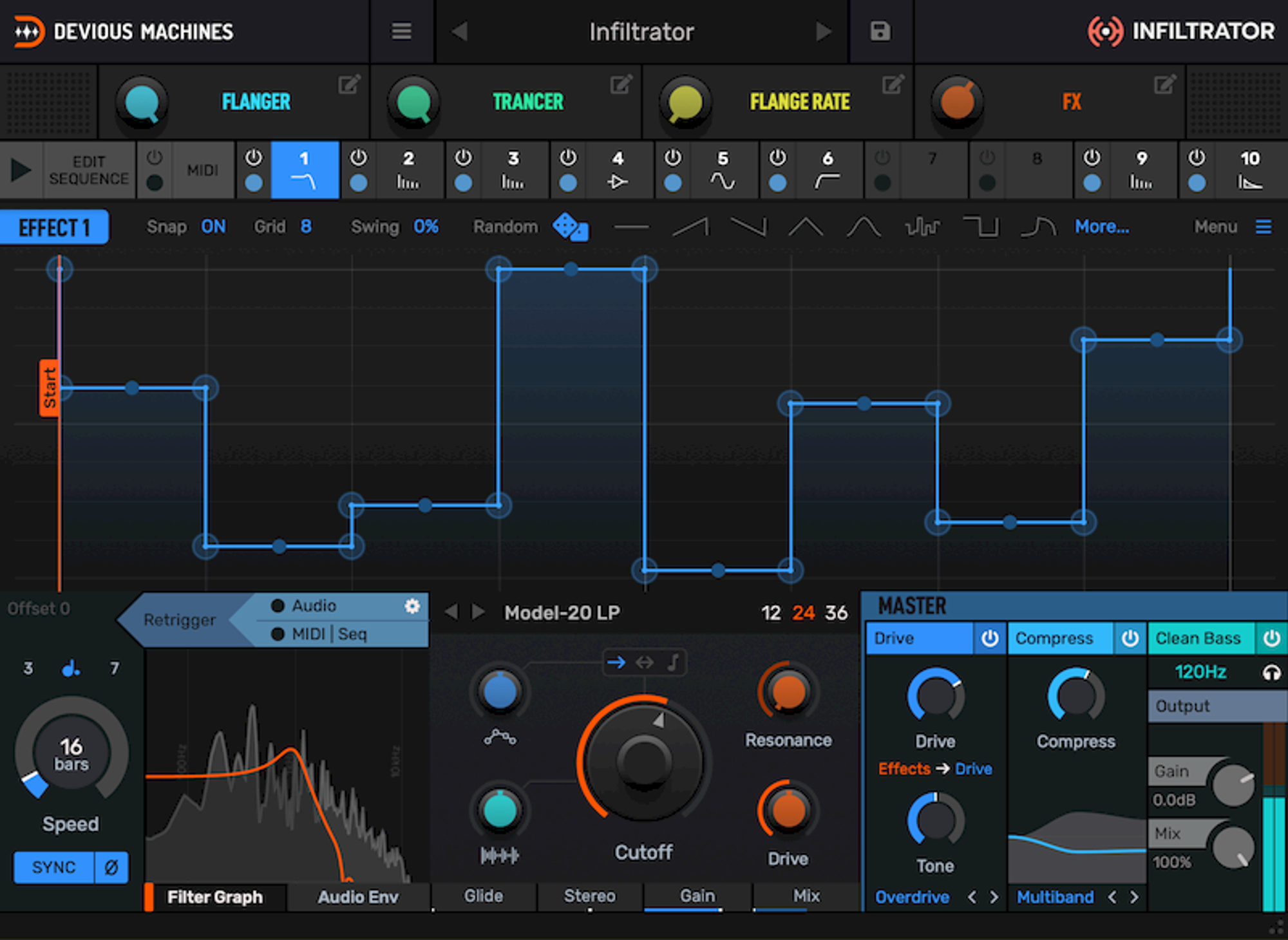
When Devious Machines first introduced Infiltrator, this sequencer and multi-effects tool seemed incredibly complex despite its sleek interface, reminiscent of Output's Portal. It has since become one of the primary sound design tools for stacking and combining up to ten effects simultaneously from a diverse set of 28 effects.
Most people are drawn to Infiltrator not just for its filters but for its effects: overdrive, reverb, delay, looping, pitch shifting, phasing, FM synthesis, ring modulation, frequency shifting, and more. The one thing it's missing is a reverse effect. The true heart of the system is its 32-step sequencer, which drives full control over modulation, sound movement, and intricate rhythmic patterns.
Infiltrator includes an extensive library of over 750 presets, giving newcomers a solid starting point, while its clear, logical interface rewards deeper tweaking without much need to check the manual.
One of the most intriguing aspects of this plugin is its propensity to produce completely unpredictable and unique sounds. With its intuitive design, extensive preset collection, and ability to generate unconventional sonic landscapes, Infiltrator is a strong choice for producers and sound designers seeking non-standard creative possibilities.
Official resource
Visit Devious Machines Infiltrator ↗Output Thermal
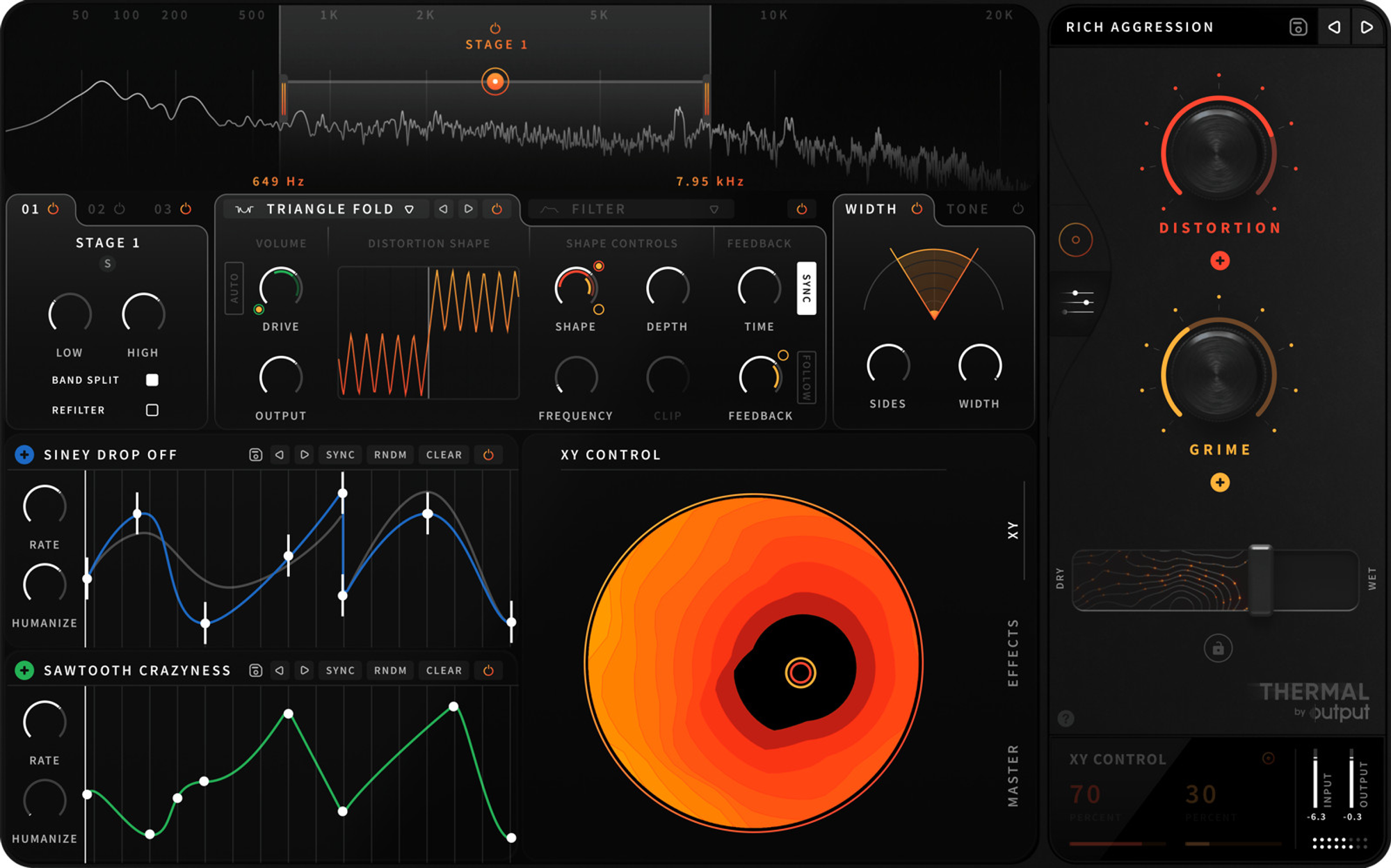
Thermal is one of two Output tools on this list (alongside Portal), and it's a comparatively simple, ultra-intuitive interactive distortion plugin offering distortion, saturation, hum, redux, and more.
It goes beyond a standard distortion plugin by using multi-stage and multiband distortion to expand creative potential — similar to what you'd find in FabFilter Saturn, but simpler. It's a strong choice for quickly and precisely adding saturation to vocals, drums, guitars, or synthesizers, and like Portal, it pairs a convenient XY pad interface with an extensive collection of high-quality presets.
The workflow suits both novice and experienced sound designers, with room to dig deeper and fine-tune specific modulation parameters as you get more comfortable. Output also runs frequent holiday discounts on Thermal and its other plugins, worth watching for.
Official resource
Visit Output Thermal ↗FabFilter Saturn 2
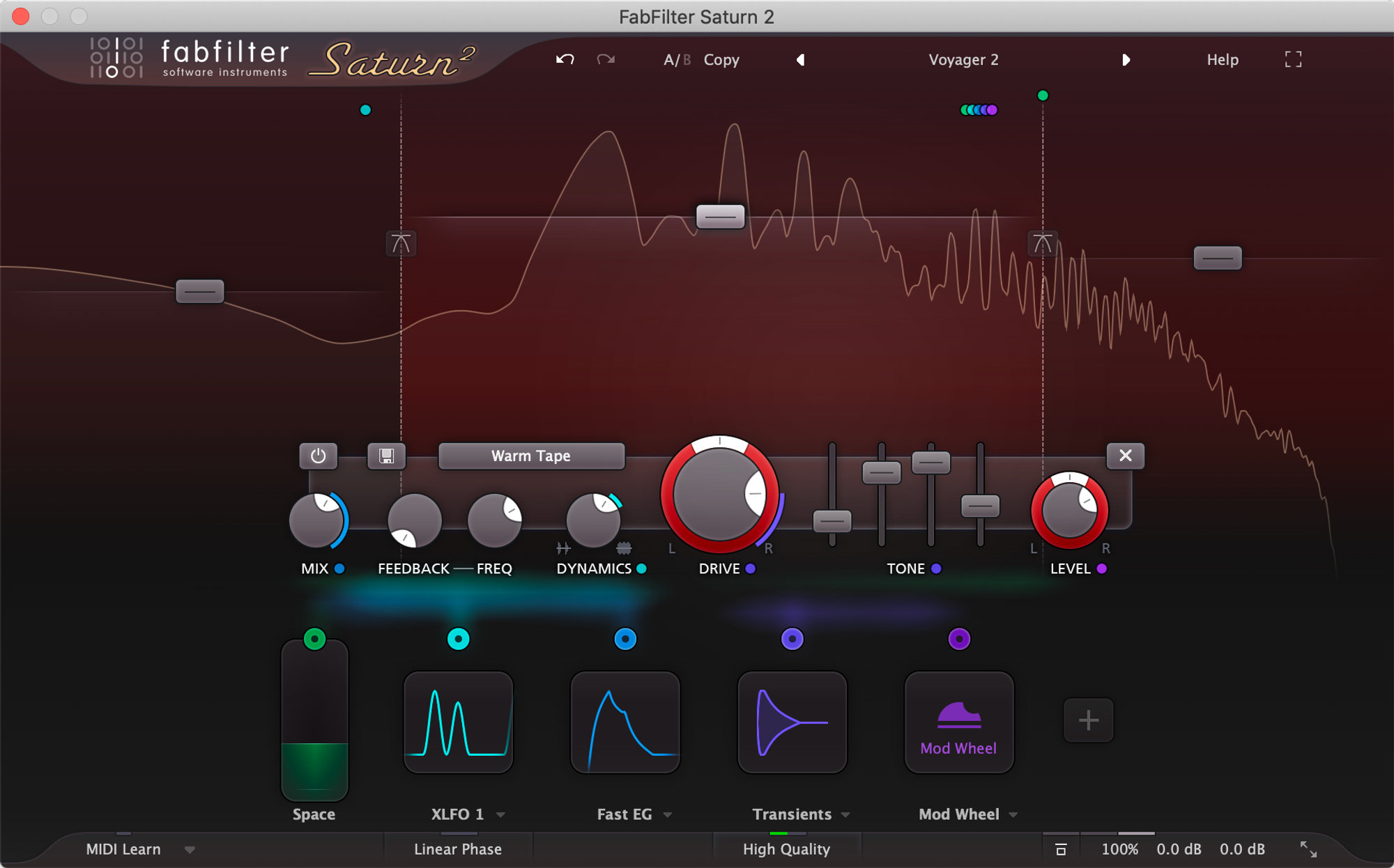
The first iteration of Saturn was great, if a bit complex at times. When FabFilter released Saturn 2 with a completely revamped graphical interface, modulation visualization, and five customizable UI sizes, it addressed that complexity directly. They also added 16 new distortion algorithms (bringing the total to 28), adjustable crossover slopes (6, 12, 24, and 48 dB/oct), multiband mode, side-chain mode, several ergonomic improvements, and a new category of transformers.
Saturn 2 offers an extensive set of features for precise control over distortion effects, and provides subtle, organic, natural distortion alongside the wildest, most destructive multiband effects for guitar amps — whichever end of that range you need.
The reworked interface makes the modulation capabilities far more accessible than in the first version. It has become the primary choice for a wide range of sound production applications; the "Faster Master" preset is a strong starting point on most mixes. For a top-notch multiband distortion plugin for production, mixing, and sound design, Saturn 2 is a strong recommendation.
Official resource
Visit FabFilter Saturn 2 ↗Heavyocity Punish
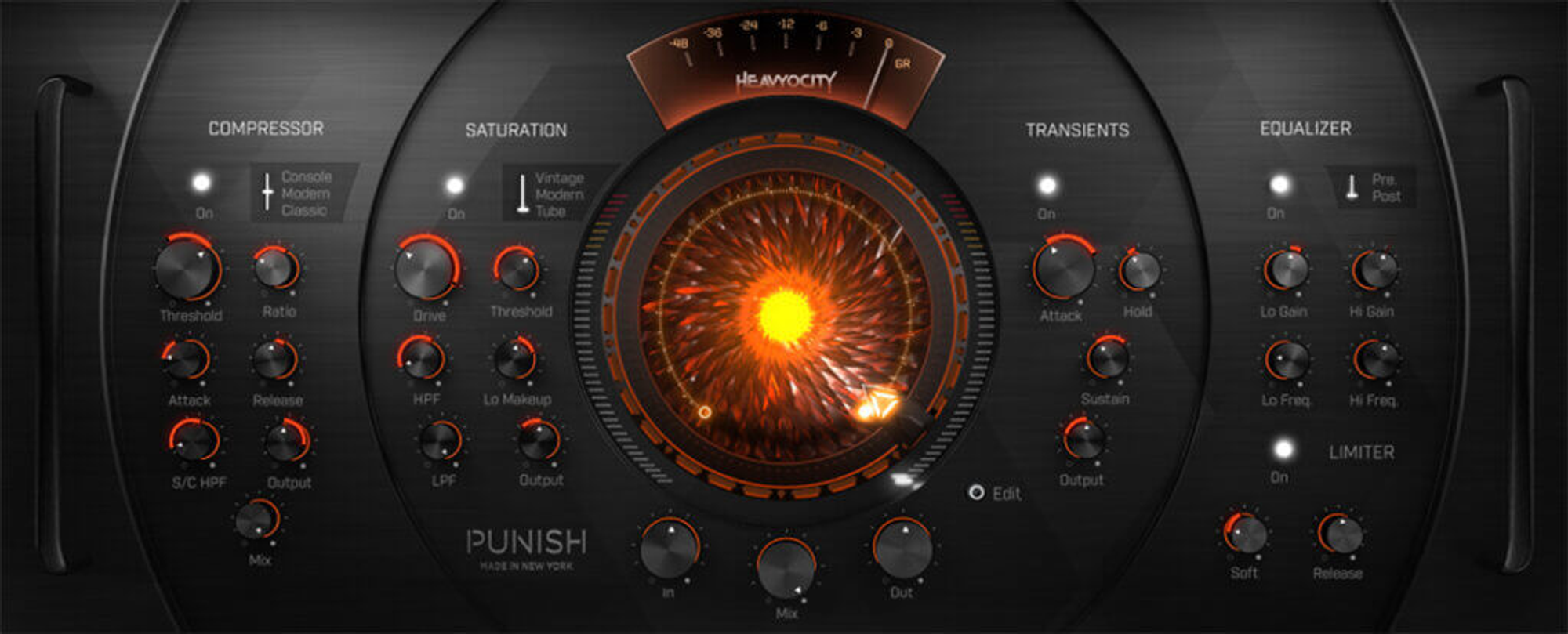
Heavyocity has been in existence since 2009 and is recognized in the music community for creating some of the most innovative and cinematic products in sound design. Punish, arguably the company's best-known product, is a versatile effect usable for anything from subtle processing to extreme sound manipulation.
One of Punish's key advantages is its extensive collection of essential sound design effects, eliminating the need to open multiple plugin windows for different effects. Its interface deserves praise for its unique, well-organized aesthetics — an epic, powerful visual design that inspires industrial-style sound design.
Punish delivers a hard-hitting sound across the entire effects chain, so some caution is advised to avoid an overly chaotic result. It's especially recommended for producers working in the cinematic field, useful for enhancing percussion elements and adding the extra "punch" needed to drive dynamics in trailer music.
Official resource
Visit Heavyocity Punish ↗Soundtoys Crystallizer
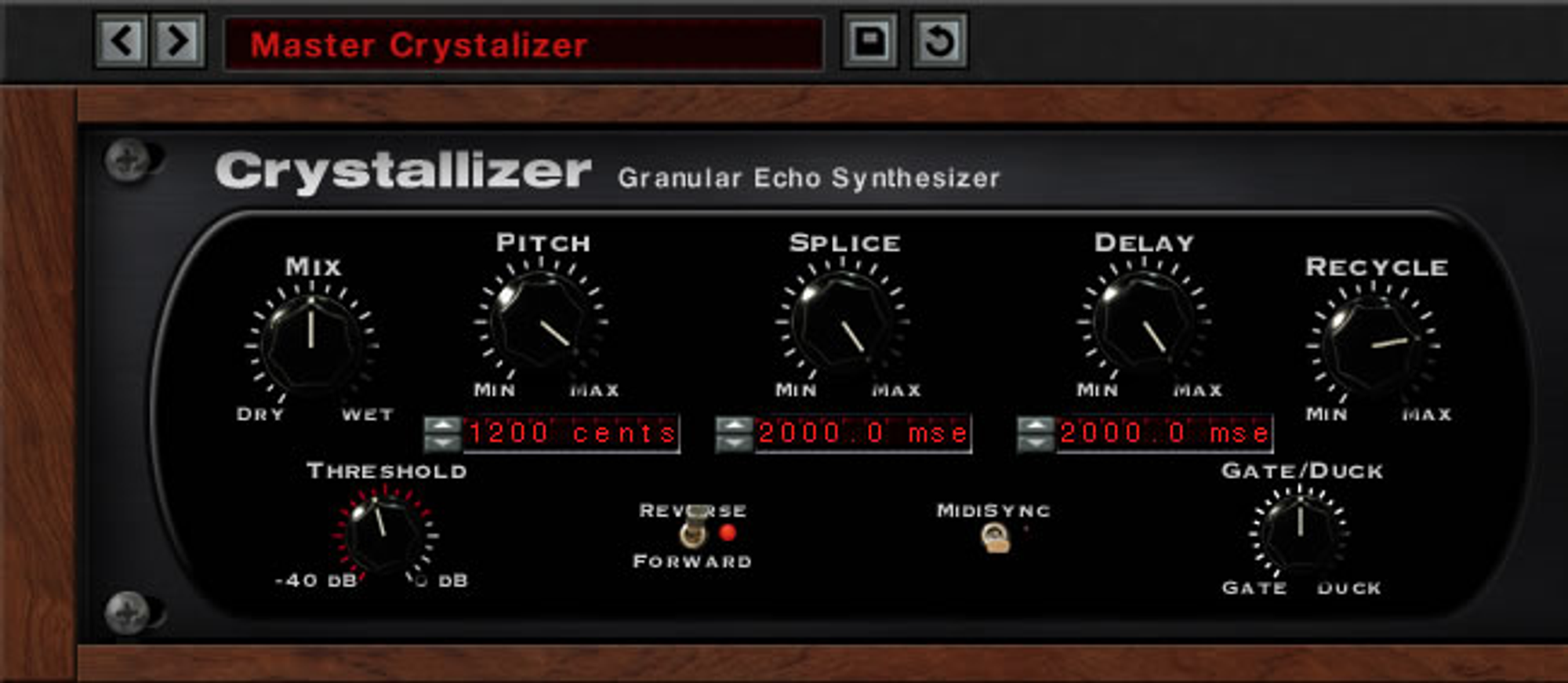
Soundtoys labels Crystallizer a granular echo synthesizer, but its capabilities go far beyond that description. With a wide range of unique parameters gathered into the familiar Soundtoys interface with its artificial wood texture, this plugin opens up broad possibilities for sound designers. Pitch-shifting, delay, reverse, and splicing are the main elements at your disposal, making Crystallizer a comprehensive granulation tool that pairs well with an extensive preset library.
For more control, the Tweak button opens an additional control panel with a multitude of customizable parameters. Loading a preset feels almost too easy — it consistently produces rich sonic landscapes at the click of a button.
Crystallizer excels with melodic tracks, particularly for cascading and evolving sounds, but it's also rewarding on other elements like percussion — EDM and Drum & Bass producers can get excellent results experimenting with the pitch and splice parameters.
Official resource
Visit Soundtoys Crystallizer ↗FAQ
Do these plugins work in every DAW?
Most run as VST3, AU or AAX, so they load in any DAW that supports those formats (Ableton Live, Logic Pro, FL Studio, Cubase, Pro Tools and others). A few, like DS Audio Tantra 2, ship through Plugin Alliance and need its installer/license manager. Check the format list on each vendor page before buying.
Are any of these plugins free?
Yes — Valhalla Supermassive and Noise Engineering Ruina (part of the Freequel Bundle) are free. The rest are paid, commercial plugins; iZotope Trash 2 specifically is a legacy product no longer sold as a standalone purchase.
Which plugin is best for a first sound design purchase?
It depends on what you need: Valhalla Supermassive covers reverb/delay for free, FabFilter Saturn 2 and Soundtoys Decapitator cover distortion and saturation, and Output Portal or Sugar Bytes Graindad cover granular/texture work. There is no single best pick — match it to the gap in your current plugin chain.